Convert in batches
A folder of models. Multiple output formats.
GLB, GLTF, FBX, OBJ, BLEND and more. Process multiple models in one run, locally on your computer.
30 days for new users. Activated on your first launch.
Windows 10 / 11Blender requiredLatest release
Format support grows with updates.
A folder of models. Multiple output formats.
3D editors, web, printing and game models.
New formats and tools arrive with updates.
Radial menu
Try the menu here: click the model, choose a format or customize the sectors. In the application, this conversion runs directly from Explorer.
How to use the menu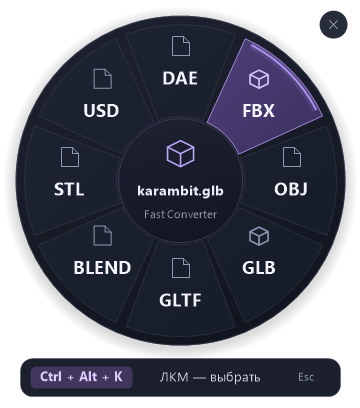
Features, requirements, prices and how Premium is activated.
Convert a GLB model to FBX for a 3D editor or game project. Fast Converter processes files locally on Windows using your installed copy of Blender.
FBX → OBJConvert FBX files to OBJ for static geometry workflows. Process multiple FBX models in one run and save the results to a separate folder.
GLTF → GLBConvert a glTF asset with external resources to GLB for easier sharing and use in 3D viewers. Processing runs on your own computer.
Batch conversion removes repeated setup: choose an input format, add your models, configure export and start processing.
GuidesA gray or pink model does not necessarily mean its geometry was lost. Check the source images, their paths and the output format’s capabilities first.
GuidesThe right format depends on what you need to edit: static geometry, materials or animation. Start by deciding which data must be preserved.